How Websites Detect
Temporary Emails
Have you ever tried signing up with a temporary email and seen a message saying it is not allowed? Here is a simple and complete explanation of how websites detect disposable emails and what you can do about it.
Temporary email services are one of the most useful privacy tools available on the internet today. They let you sign up for websites, receive verification codes, and access content without giving away your real personal email address. This protects your inbox from spam and your identity from unnecessary data collection.
However, many users have noticed that some websites refuse to accept a temporary email during registration. You enter the address, click submit, and get an error message telling you to use a real email. This can be confusing and frustrating if you do not understand why it happens.
The answer is simple. Websites use a range of detection methods to identify whether an email address belongs to a temporary or disposable email service. In this guide, we will explain every major method websites use to detect temporary emails, why they do it, and how our free temporary email service is designed to protect your privacy as effectively as possible.
Why Websites Want to Block Temporary Emails
Before we get into the detection methods, it helps to understand why websites want to block temporary emails in the first place. The reasons are not always about stopping innocent users. Most of the time, websites are trying to prevent automated abuse.
When a platform allows temporary email addresses without any restrictions, it becomes very easy for bad actors to create hundreds of fake accounts in minutes. These fake accounts can be used to abuse free trials, claim promotional offers multiple times, spam community forums, or manipulate voting and review systems.
Regular users who simply want privacy are not the target of these restrictions. The target is automated abuse. Unfortunately, the detection systems cannot always tell the difference between someone protecting their privacy and someone creating fake accounts at scale. So genuine users sometimes get blocked too.
Websites also want permanent email addresses because they provide a way to contact users for account recovery, important notifications, and customer support. A temporary email that expires after one hour cannot serve any of these long-term purposes.
The Main Methods Websites Use to Detect Temporary Emails
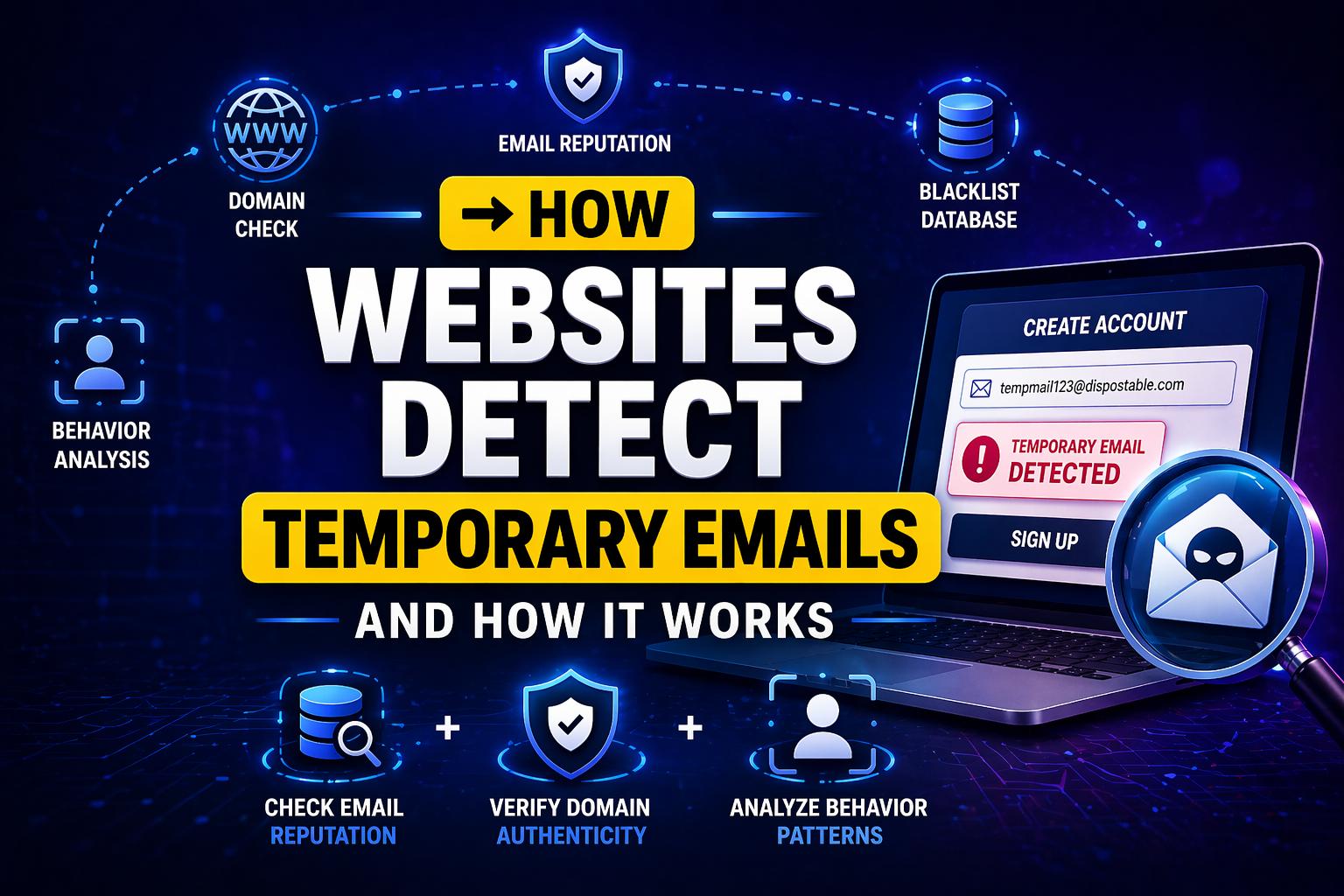
There is no single trick that websites use. Most platforms that seriously want to block disposable emails combine several methods together. Here is a breakdown of each one.
Method 1: Domain Blocklists
This is the most common and straightforward detection method. A domain blocklist is a large database of email domains that are known to belong to temporary or disposable email services. When you enter an email address during sign-up, the website instantly checks your email domain against this list. If your domain appears on the list, the registration is rejected immediately.
These blocklists are often built and maintained by third-party email validation services. They are updated regularly as new disposable email providers appear online. Some blocklists contain thousands of known temporary email domains. Domains like mailinator.com, guerrillamail.com, and many others are permanently listed. This is why some temporary email services stop working on certain websites over time.
Method 2: MX Record Verification
MX stands for Mail Exchange. Every legitimate email domain needs MX records to receive emails. These records are part of the domain’s technical setup and point to the servers that handle incoming messages. A website can query the MX records of your email domain in real time to check whether they exist and look legitimate.
Temporary email providers sometimes use unusual or shared mail server configurations. When a website finds that an email domain has no MX records, has MX records pointing to a known temporary email server, or has records that do not match a real organization, it flags the address as potentially disposable and blocks registration.
Method 3: Real-Time Email Validation APIs
Many modern websites do not build their own detection systems. Instead, they use third-party email validation API services. These APIs specialize in email verification and maintain constantly updated databases of temporary, invalid, and suspicious email addresses.
When you type your email into a sign-up form, the website sends it to one of these APIs in real time. The API performs multiple checks instantly, including domain reputation, known disposable provider matching, inbox existence verification, and spam history analysis. It then returns a result telling the website whether the email is acceptable or should be rejected. Popular services in this space include ZeroBounce, Hunter.io, and Kickbox.
Method 4: Domain Age and Registration History
Temporary email services tend to register new domains frequently. This is because once their existing domains get added to blocklists, they need fresh domains that have not been flagged yet. However, brand new domains with very short registration histories raise red flags.
Some websites check how old an email domain is. If a domain was registered only days or weeks ago with no established history or reputation online, it is treated with suspicion. Legitimate email providers like Gmail, Yahoo, and Outlook have years of history and a strong established reputation. A brand new temporary email domain does not.
Method 5: Behavioral Pattern Detection
Some advanced platforms go beyond checking the email address itself. They also look at behavioral patterns during sign-up. For example, if many accounts are being created from the same IP address in a short time, each using a different email address, the system flags this as suspicious behavior regardless of the email type.
Similarly, if accounts are created very quickly without any human-like hesitation or interaction with the page, automation detection systems may trigger. These behavioral checks work alongside email checks to build a more complete picture of whether a registration is genuine or abusive.
Method 6: Community-Sourced Reputation Databases
Some platforms contribute to and draw from shared reputation databases. When a temporary email domain is flagged by one platform as being used for abuse, that information can be shared across a network of sites. This crowdsourced approach means a new disposable email domain that causes problems on one website may quickly end up blocked across dozens of others.
These databases grow continuously as more platforms contribute flagged domains and suspicious patterns. The more active a temporary email service is, the faster its domains tend to appear in these shared lists.
Method 7: SMTP Verification
SMTP stands for Simple Mail Transfer Protocol. It is the system that email servers use to communicate with each other. Some websites use SMTP verification to check whether an email inbox actually exists and can receive mail before allowing registration.
During SMTP verification, the website’s server connects to the email server of the domain you entered and asks whether the inbox exists, without actually sending an email. If the email server responds in a way that confirms the inbox is temporary, non-existent, or a catch-all address that accepts everything (which is common among disposable email providers), the website rejects the address.
How These Methods Compare
| Detection Method | How It Works | How Common It Is | Effectiveness |
|---|---|---|---|
| Domain Blocklist | Checks email domain against a list of known disposable providers | Very common | High for known services |
| MX Record Check | Verifies whether the domain has legitimate mail server records | Common | Moderate to high |
| Email Validation API | Sends email to a third-party service for multi-check analysis | Very common on large sites | Very high |
| Domain Age Check | Checks how old and established the email domain is | Less common | Moderate |
| Behavioral Detection | Analyzes sign-up behavior and IP patterns | Common on large platforms | High for bot detection |
| Reputation Databases | Uses shared community data about flagged domains | Moderate | Moderate and growing |
| SMTP Verification | Directly checks whether the inbox exists on the mail server | Less common | High when used |
Not all websites use all of these methods. Many smaller websites use no detection at all and accept any email format. The sites most likely to use multiple detection methods are large platforms with significant user bases, free trial services where abuse is common, and gaming or community platforms that have experienced bot problems in the past. For a more complete picture of when temporary emails work and when they face restrictions, read our guide on why some websites restrict temporary email addresses.
🛡️ Stay Private With Zeptempmail
Our free temporary email service is designed with privacy in mind. No registration, no personal data, no data stored. Use it to protect your real inbox on any website that accepts temporary emails.
Get Your Free Temp Email Now Try Username GeneratorWhat Happens When a Temporary Email Gets Detected
When a website detects that you are trying to register with a disposable email address, the response can vary depending on the platform and the detection method used.
In most cases, you will see an error message during the sign-up process. The message might say something like “Please use a valid email address,” “Disposable email addresses are not allowed,” or “This email domain is not accepted.” The registration simply does not go through.
Some platforms are more specific in their error messages and clearly state that temporary or disposable email addresses are blocked. Others use generic error language that does not explain why your email was rejected.
In a small number of cases, websites allow the registration to proceed but then quietly mark the account for review or apply extra restrictions without notifying the user. This is more common on platforms where the cost of blocking legitimate users outweighs the benefit of preventing all temporary email usage.
When Temporary Emails Work Without Any Issues
Despite these detection methods, there are still many situations where temporary email addresses work perfectly well. Small blogs, content download pages, community forums without strict registration policies, and many online tools do not use any form of email validation. They accept whatever email format you provide.
Temporary emails also work well when you need a quick verification code from a service you only plan to use once. The detection systems are primarily activated during account creation on larger platforms. Many one-time verification processes on smaller services have no detection at all.
Our free Zeptempmail service is ideal for exactly these situations. It generates a working inbox instantly with no setup required, receives emails in real time, and protects your personal email address from being added to marketing lists. You can learn more about the safe and responsible use of disposable email in our complete guide on whether temp mail is safe to use in 2026.
Using Temporary Email Responsibly
Understanding how websites detect temporary emails also means understanding when it is appropriate to use one. Here are some situations where a temporary email is the right choice and some where it is not.
A temporary email works well when you want to download a free resource, access a one-time tool, read content behind a soft paywall, sign up for a newsletter you may not want long-term, or test a website’s sign-up flow without committing your real email.
A temporary email is not the right choice when you are creating an account you will need long-term access to, when account recovery matters to you, when you are making a purchase that needs order confirmation, or when the platform specifically requires a verified permanent email for security reasons like banking or healthcare services.
The key is matching the right email type to the right situation. Temporary email is a privacy tool, not a way to abuse platform systems. When used responsibly and legally, it is an excellent way to control your online footprint and keep your inbox clean.
Frequently Asked Questions
Protect Your Privacy the Smart Way
Now that you understand how websites detect temporary emails, you can make smarter choices about when and where to use them. For websites that accept them, a temporary email is one of the simplest and most effective tools for protecting your personal inbox and your online privacy.